Home Hosting
Let's talk about self-hosting — what it is, its advantages, how it differs from a virtual server, and how to set it up.
What is this self-hosting thing anyway
In short, it's hosting your own server or web services at home, rather than with a cloud provider or in a colocation facility.
I'm incredibly drawn to the idea of home hosting. What makes it so good:
Freedom. Your equipment and services are under your control, in your home. You no longer have to rely on corporations, and you are no longer tied to their systems. This matters — by entrusting your data and relying on their services, you lose freedom. Simply put, home hosting allows you to create a resilient internet without losing your rights.
Scalability. You are free to use any available hardware and components, and can choose or assemble a server according to your needs.
Knowledge. I find this point the most important. It's an excellent opportunity to acquire new knowledge and sharpen your skills.
What you need
- First and foremost, you need a computer — it could be an old PC, a single-board computer, a laptop, or a full-fledged server
- A router
- Internet with good upload speeds
Not required, but recommended 4. Uninterruptible power supply 5. Backup internet connection
Difference from VPS
VPS (virtual private server) is a virtual machine that a cloud provider rents out.
Thanks to virtual servers, anyone can easily rent a server, and it has both pros and cons.
The pros are really just the price and low entry barrier. You use the server, and all the technical maintenance falls on the provider. But the cons of VPS are numerous:
- Less scalable
- You don't own the entire server
- Security issues
- Limited control
A home server stands out with opposite qualities:
- High performance
- Full control
- Security
Home hosting is far from an ideal solution, yes. You need to buy equipment, replace faulty components, and perform maintenance to keep the system operational.
On top of that, there are everyday issues — power outages, internet interruptions, constant dust inside the server, setting up PTR records. All these problems are solvable, but they introduce some adjustments, and you need to be prepared for them.
However, this solution wins noticeably when done in a community and for the community — a shared mail server for a group of people or a communications server joined into a larger network like Matrix or the Fediverse.
About my home network
Everything was purchased on Avito; I'll list prices including delivery to give an idea of the cost of home hosting (prices from 2019-2021).
Router
TP-Link TL-WR1043ND
OS: OpenWrt
Number of LAN ports: 4
Port speed: 1 Gbps
USB ports: USB 2.0 Type A
Price: ₽1380
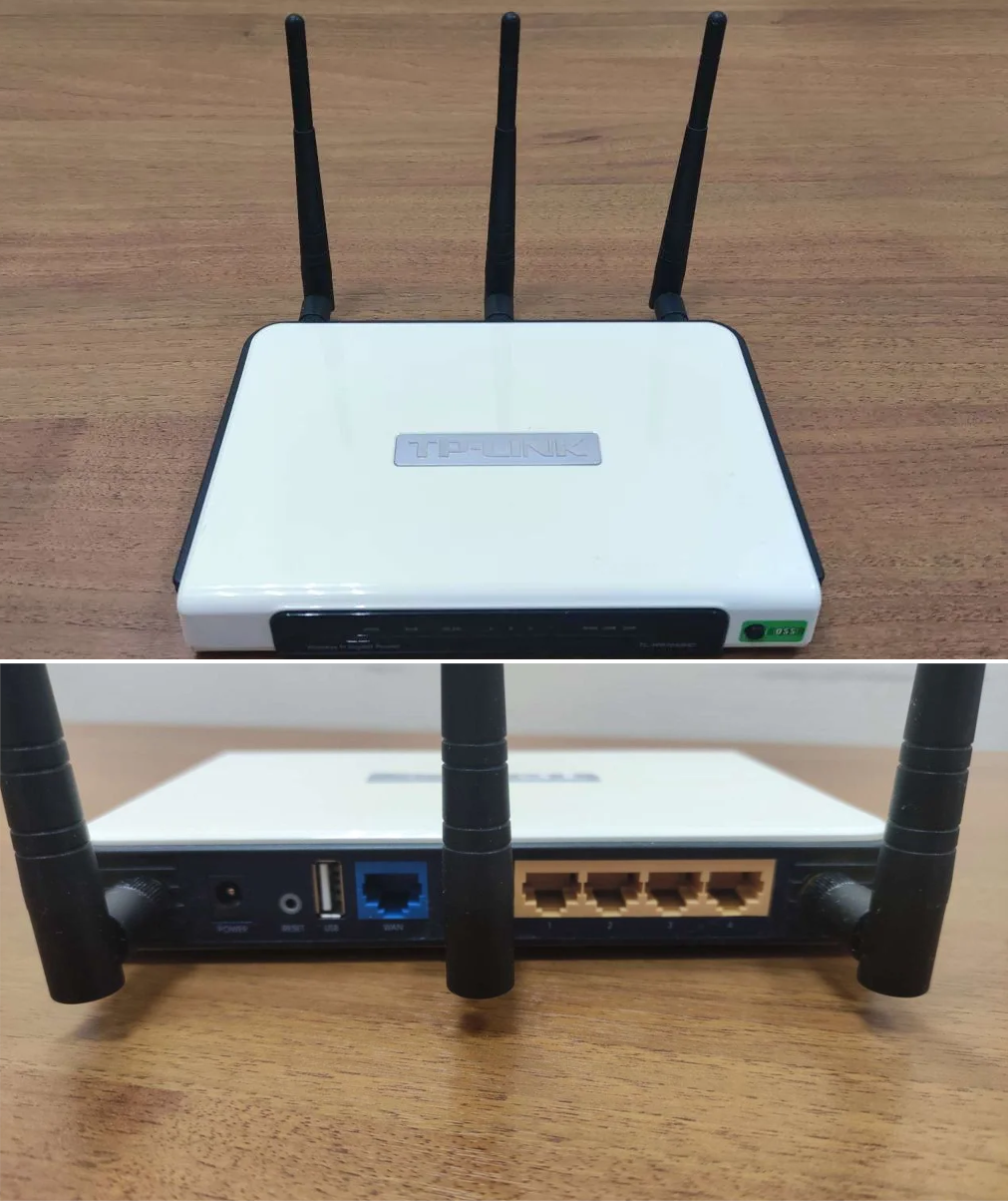
This router is old, but it handles its tasks. At some point it ran out of memory, so I had to expand it with a USB flash drive. In the future, I'd really like to try something more serious, like OPNsense.
Server based on Supermicro X7DWT motherboard
CPU: Xeon 2xE5420 4x2.5 GHz (8 cores total), Sockets LGA771
RAM: 16 GB ECC
HDD: 1024 GB SSD, RAID 2x1024 GB HDD
OS: YunoHost
4-disk bay
Price: ₽11500 + ₽6700 2xHDD + ₽8000 SSD. Total: ₽26200
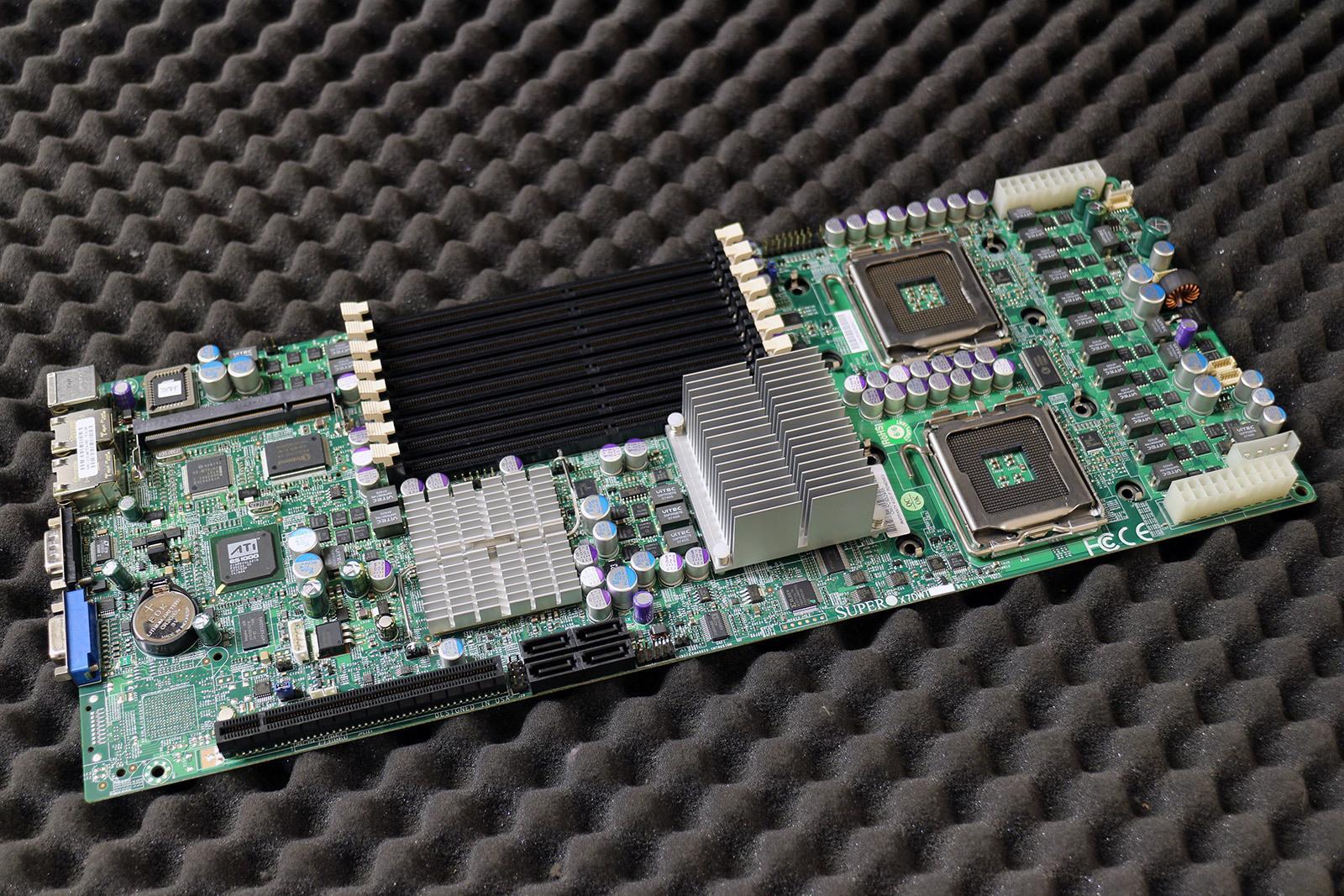 Source: ebay
This motherboard has an interesting form factor, they're called blade servers. They are often used for building clusters — in this configuration you can fit four dual-socket nodes into a 2U chassis. The main idea of these designs is that four nodes share redundant power supplies and cooling systems.
NAS
HP Compaq 6000 Pro SFF
CPU: Intel E3300 2x2.5 GHz, Socket LGA775
RAM: 12 GB DDR3
OS: TrueNAS SCALE
6-disk 2.5" bay
Price: ₽10700 + ₽2000 8 GB RAM. Total: ₽12700
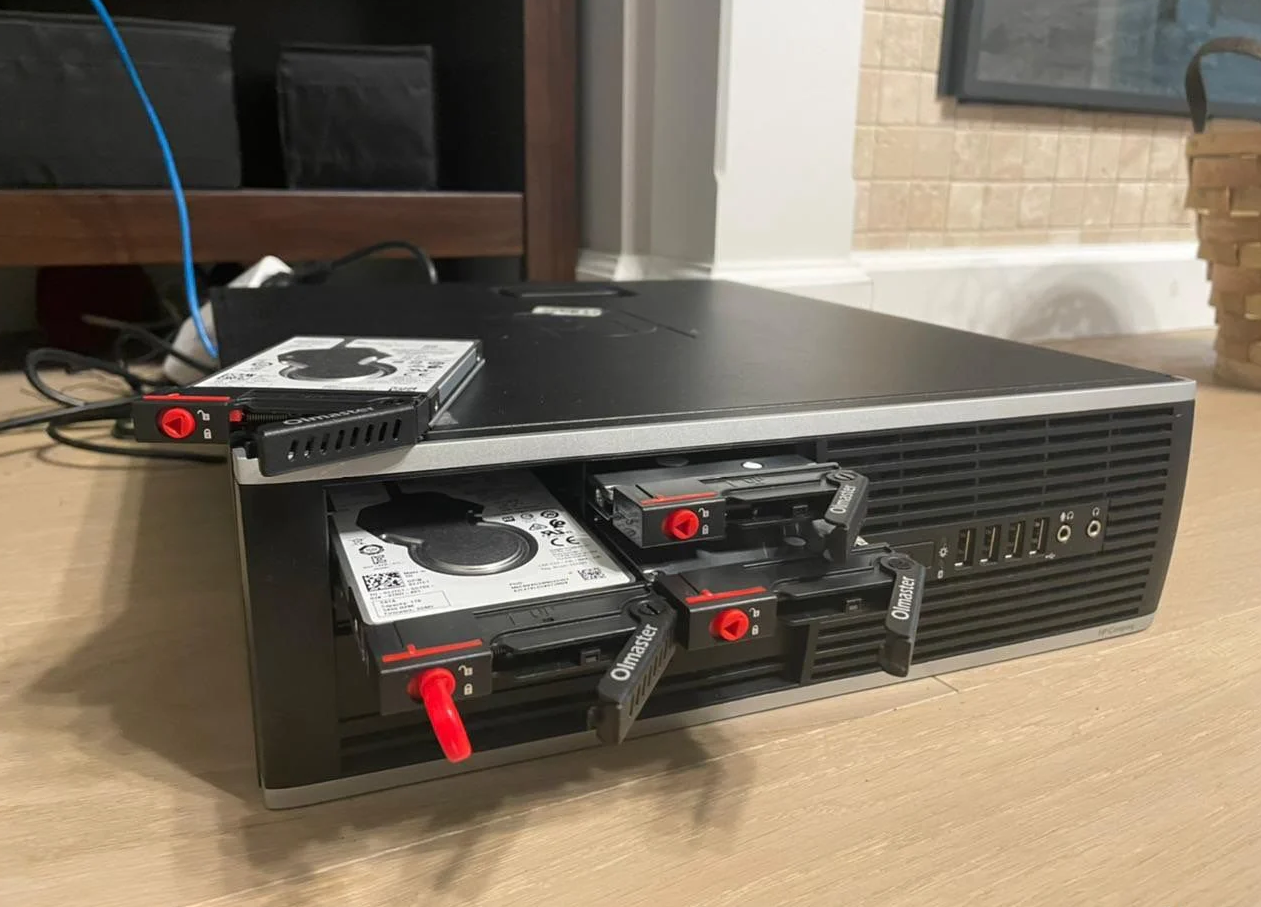
I definitely missed the mark with this PC; it's not worth the money, time, or effort I put into it. But I wanted a quiet home NAS, not rack-mountable, and this is what came of it.
Currently, this server runs a couple of Docker containers and stores torrents. The processor is a bit weak, but it manages for now, averaging about 30% load.
Total: ₽38900
Associated expenses.
Internet: ₽750, 500 Mbps
Electricity: ≈₽1300
Now, of course, I sometimes think I should have saved up that money and bought a proper rack-mount server with Proxmox installed — it would have been simpler.
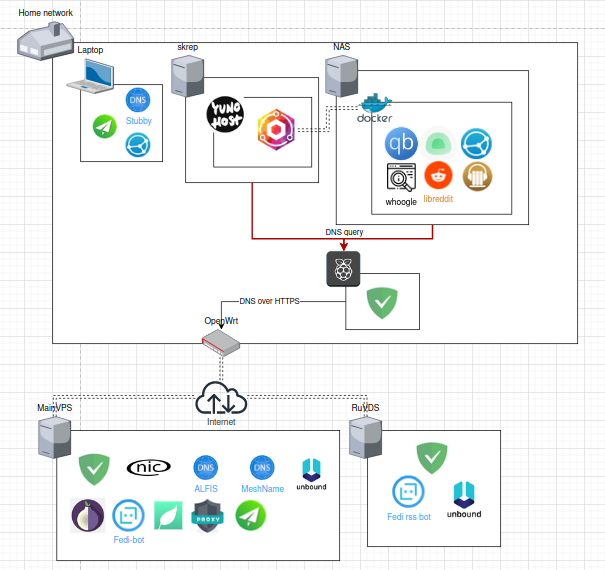
The network map looks something like this
Interesting articles:
1. Parler's epic fail: A crash course on running your own servers on a shoestring budget
2. Why self hosting is important
3. Awesome-Selfhosted