Homelab Tour
Lately, besides reading r/homelab, I've gotten hooked on "Homelab Tour" videos where users talk about their server rooms, equipment, and experiences. I love it when users share this kind of content, talk about their smart homes and various gadgets. I find this interesting, and it's very disappointing that in my IRL circle nobody shares this interest. Even at work, due to the nature of my job, no one will say to me: "usr, let's harness the full power of ZFS to store data" No, business chooses SaaS, where my rights are limited to two clicks and a call to tech support. Sad, isn't it?
That's exactly why I decided to share my modest experience with self-hosting here.
Well, I won't pretend that this text isn't part of my struggle with impostor syndrome. Yes! It's damn easy to feel like a loser when you see massive server racks with industrial-grade equipment as a home lab in someone's basement.
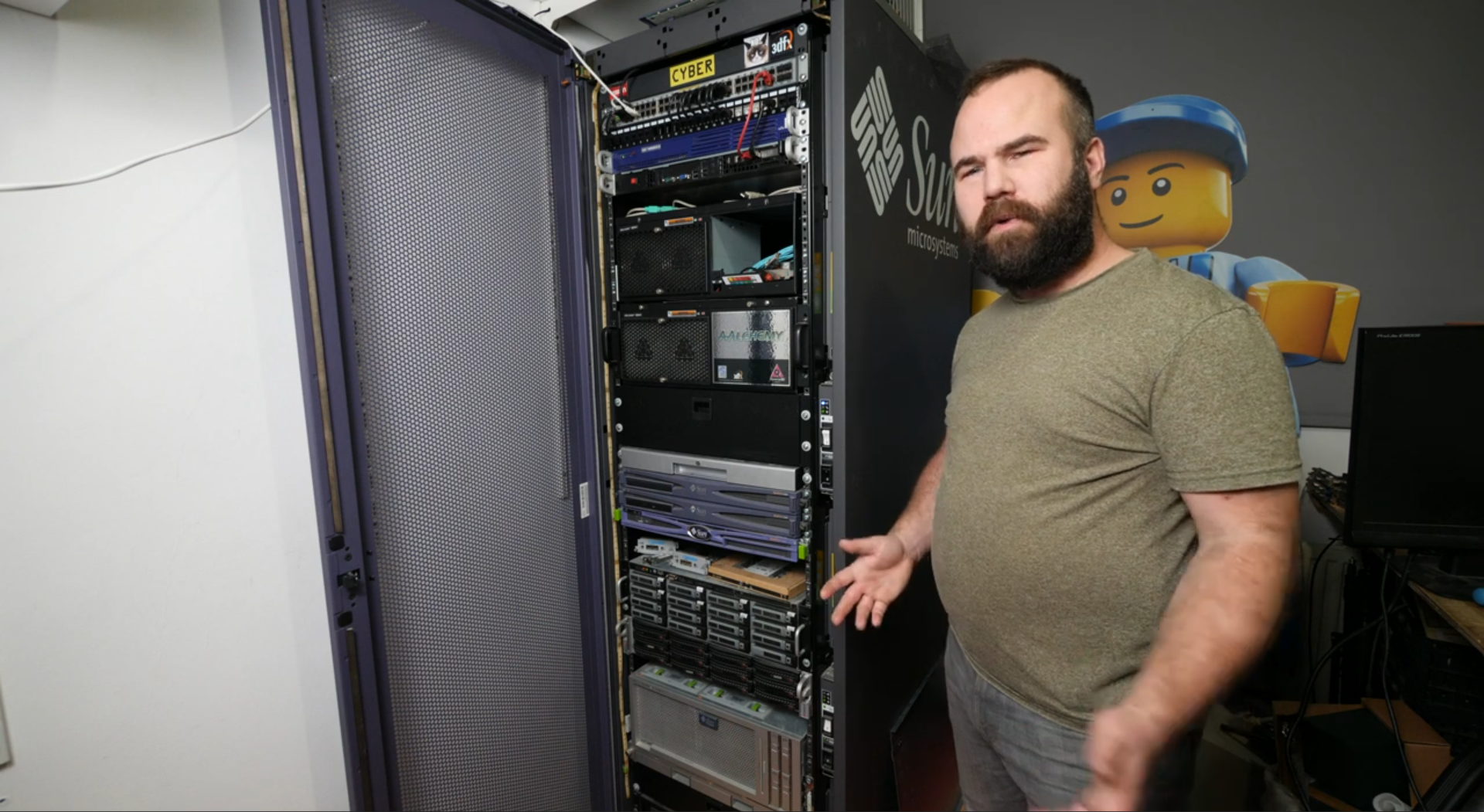 Your switch has less than 8 ports — Vic Bart is looking at you like a loser
Of course, I'm always curious to play with cool hardware. And at the same time, it amuses me when such massive server racks are used for, say, syncing kitten photos.
So, let's begin the tour!
Motherboard: Supermicro X7DWT
CPU: 2xXeon E5420 4x2.5 GHz, LGA771 Socket
RAM: 32 GB ECC
Storage: 960 GB SSD (Kingston A400 SA400S37), RAIDZ0 2x1024 GB HDD (Seagate Barracuda ST1000LM048)
OS: YunoHost
4x 2.5" drive bay
This server runs on YunoHost. I like this operating system. Administration has never been so simple. YunoHost allows you to deploy applications, manage users, domains, SSL certificates, and more.
Despite its convenience, I still often have to dive into the terminal. And I also appreciate that it maintains flexibility. I can step in and fix/change something as I see fit.
It has a nice application management panel:
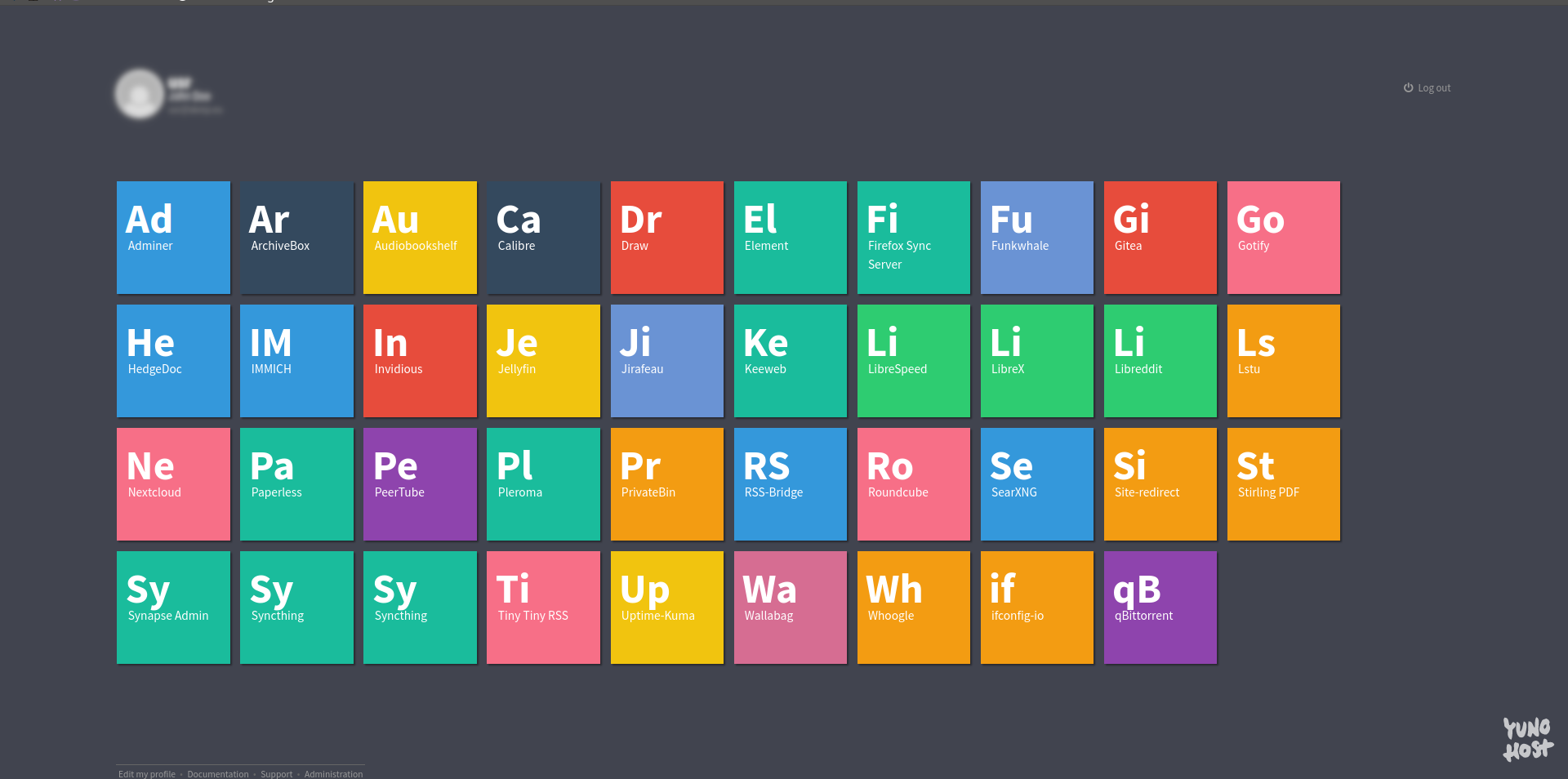
The panel uses Single Sign-On technology. I consider this technology not entirely safe, but it's a convenient thing. Though it still doesn't work for me because of the Temporary Containers browser extension.
I try not to interfere with this server's operation. I usually conduct experiments on the second server.
HP Compaq 6000 Pro SFF
Motherboard: hp 3048h
CPU: Intel Core 2 Quad Q9650 4x3 GHz, LGA775 Socket
RAM: 12 GB DDR3
OS: Debian
6x 2.5" drive bay
As you might have noticed, this old timer got a CPU upgrade. I originally planned to install a Xeon E5450 in it, but the HP turned out to be terribly picky about jumpers.
The Compaq line has an interesting case form factor. Its modularity is both a plus and a minus. On one hand, it's great how its sections are put together. But try finding components for it in 2023.
This server used to run TrueNAS, then TrueNAS SCALE. But over time, the limitations that iXsystems adheres to started to annoy me. In the end, I just installed Debian and configured everything manually.
Back then, it served as storage, mainly for torrents (of course, only legal Linux distributions and various junk). And over about two years, I suspect, active torrent seeding completely killed the RAIDZ array.
Now I've optimized my seeding and only seed rare torrents and a minimal set of everyday essential software on a permanent basis. I delete the rest as soon as the seeding ratio reaches three. Besides that, it's used for Docker containers and virtual machines. Well, it also serves as storage. I mainly run personal-use applications on it, while the first server hosts mostly public services.
I started using Docker not too long ago: two or three years ago. The task of automating updates immediately arose, since doing it manually was tedious. Watchtower successfully solved this task.
I planned to try running Proxmox on this server, but I have some doubts. First of all, I think it might be too weak for that. Secondly, I'm skeptical about virtualization systems — it's an extra layer where things can go wrong. I've heard about Proxmox's stability, but... doubts still linger.
Update 23.10.23: As it happened, while writing this post, I changed my mind and replaced this server with a different option. Not only that, but I migrated part of the shared infrastructure to Proxmox.
Motherboard: ASRock 960GM-GS3 FX
CPU: AMD FX-6100 6x3.3 GHz, AM3+ Socket
RAM: 16 GB DDR3
Storage: RAIDZ0 2x1024 GB SSD (DEXP C100 C100SMYM1024), 1024 HDD (Seagate ST1000LM035)
OS: Proxmox
I created separate virtual machines for Yggdrasil, Docker containers, Windows. I had to optimize some applications for performance to a certain extent, but the experience with Proxmox is worth it.
Orange Pi PC
CPU: ARM Cortex-A7 4x1.6 GHz
RAM: 1 GB DDR3
Storage: MicroSD INOI 32 GB Class 10
OS: Armbian
Nothing exciting here, it runs Yggdrasil. This device was lying around unused. So I decided to put it to work. Previously, it had AdGuard Home installed, but more on that below.
Speaking of Yggdrasil, I never cease to be amazed at how cool this technology is. I actively use it at home and at work. The ability to connect things that infrastructure doesn't allow — a real miracle.
Update 23.10.23: Server turned off.
As a router, I now use a mini PC based on the GA-C1037UN-EU motherboard running OpenWrt.
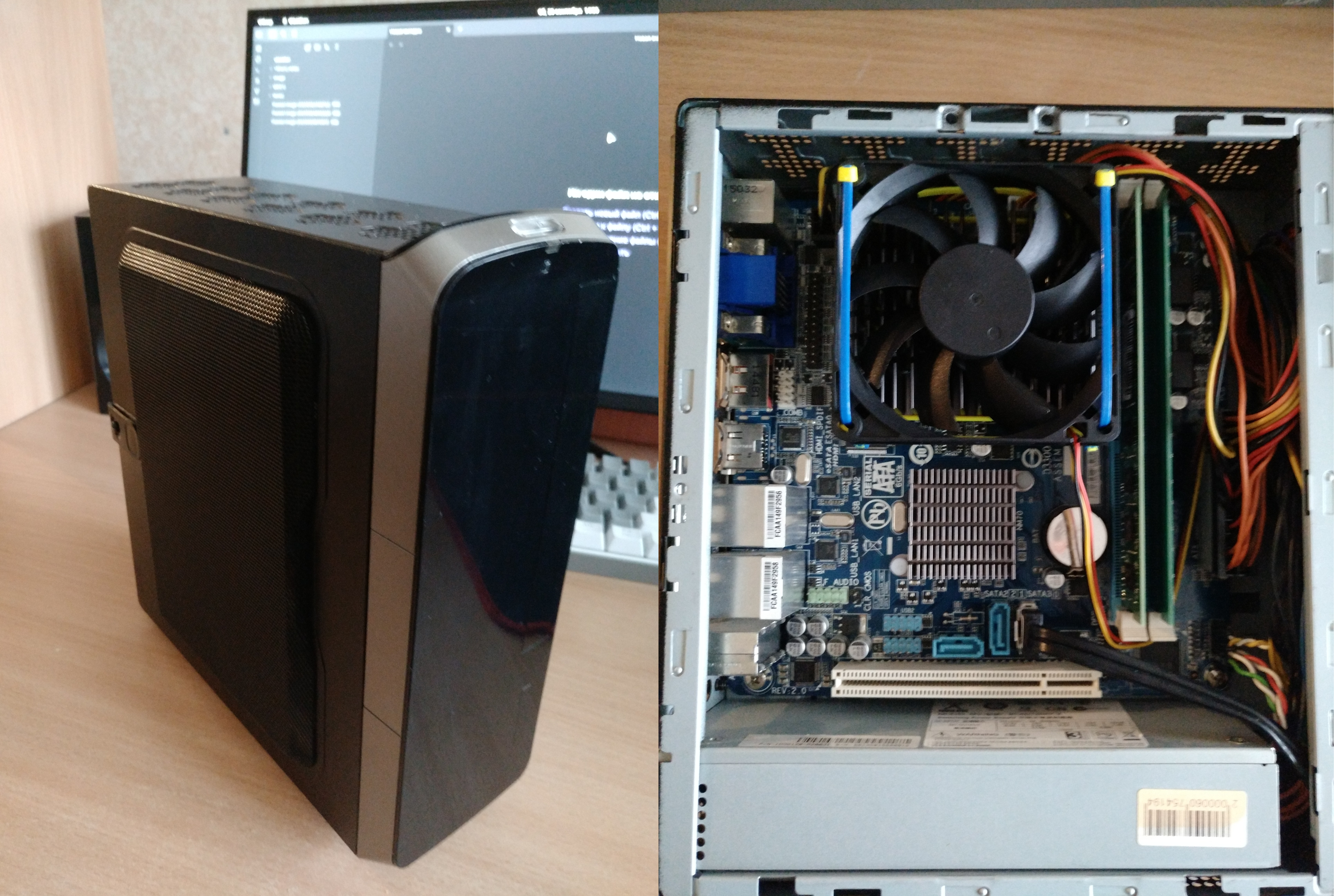 Inwin BQ660 Mini-ITX case
Motherboard: GIGABYTE 1037U GA-C1037UN-EU
CPU: Intel Celeron 1037U 2x1.8 GHz, FCBGA1023 Socket
RAM: 4 GB
Storage: 120 GB SSD
OS: OpenWrt
Since my previous article, I switched to a gigabit plan, and I got a second ISP. The old router could no longer handle the load.
I also tried experimenting with OPNsense on this router and... I lost, it disappointed me. Compared to OpenWrt, it has poor documentation, limited package set and capabilities, and what's even more disappointing, a weak community around it.
It would be interesting to play around with a Banana Pi BPI-R3, but I somehow missed the moment when compact single-board computers stopped being budget-friendly devices. Although its hardware stack is amazing.
By the way, as a switch I use the most budget-friendly device — TP-Link LS1008G. Had some unnecessary doubts about it. Ran tests with iperf3 and the result reassured me. Loss is within 4%.
I'd also like to talk about the DNS server scheme. My ISP performs a MITM attack on DNS — that is, from my host located in the provider's network, DNS query packets don't reach the outside world. More precisely, they don't reach the target DNS servers I'm querying. Instead, similar requests come from the provider's DNS servers to the target servers, and the target server responds to the provider's DNS server that sent the request.
Setting up workarounds used to be a real torture; with the advent of DoT, everything became simpler. Now I use the home router as a Stubby server and forward local requests to it, which in turn sends them to the outside world in encrypted form.
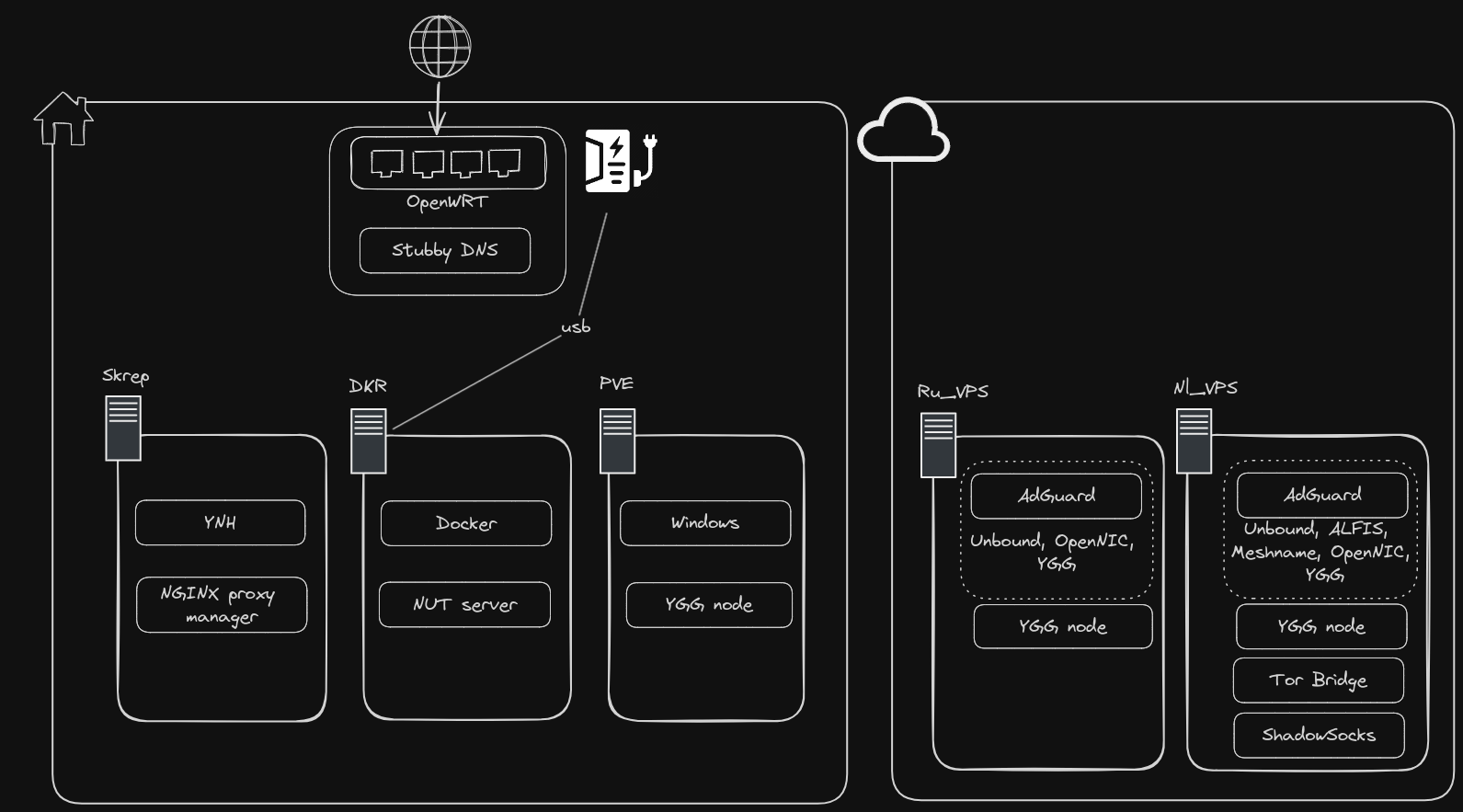
That's probably it. Well, okay-okay, I do have a new system box. I can't not talk about it. Although... why use words when there's the neofetch format.
Motherboard: MS-7C96 1.0
CPU: AMD Ryzen 5 2600 12x3.4 GHz, AM4 Socket
RAM: 32 GB
GPU: AMD ATI Radeon RX 5600
Storage: 1024 GB NVMe
OS: Manjaro
Future plans.
- Set up a space for equipment. A server rack costs a significant amount of money. I'll probably limit myself to a coffee table on wheels. But in the future, I should think about noise insulation.
- I urgently need a UPS. I've already worked with Ippon. And I have a good impression of them. For now, I'll stick with their brand.
- Take care of fire safety. FINFIRE offers interesting solutions in the form of self-triggering fire suppression modules that activate on contact with an open flame. And the application area is compatible with electrical and electronic equipment.