DE for PinePhone distributions
I recently purchased a PinePhone KDE Community Edition from Pine64. It's a smartphone based on Linux.
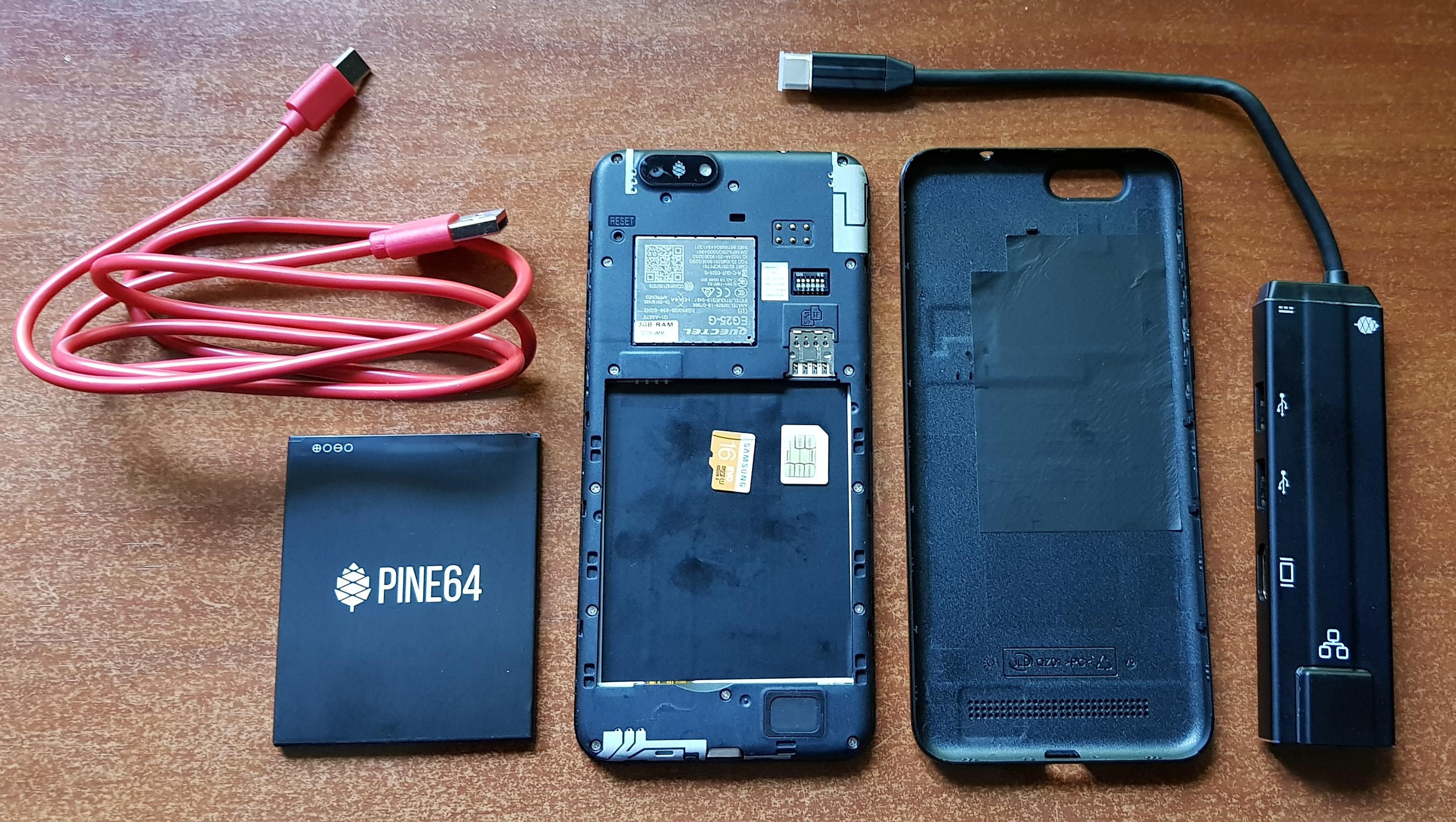
It can be used as a desktop device, and its modularity allows you to replace hardware components such as the camera, battery, and display with just a single screwdriver, since they aren't soldered but connected via ribbon cables.
The PinePhone is designed as a device for enthusiasts with higher demands for software and hardware control.
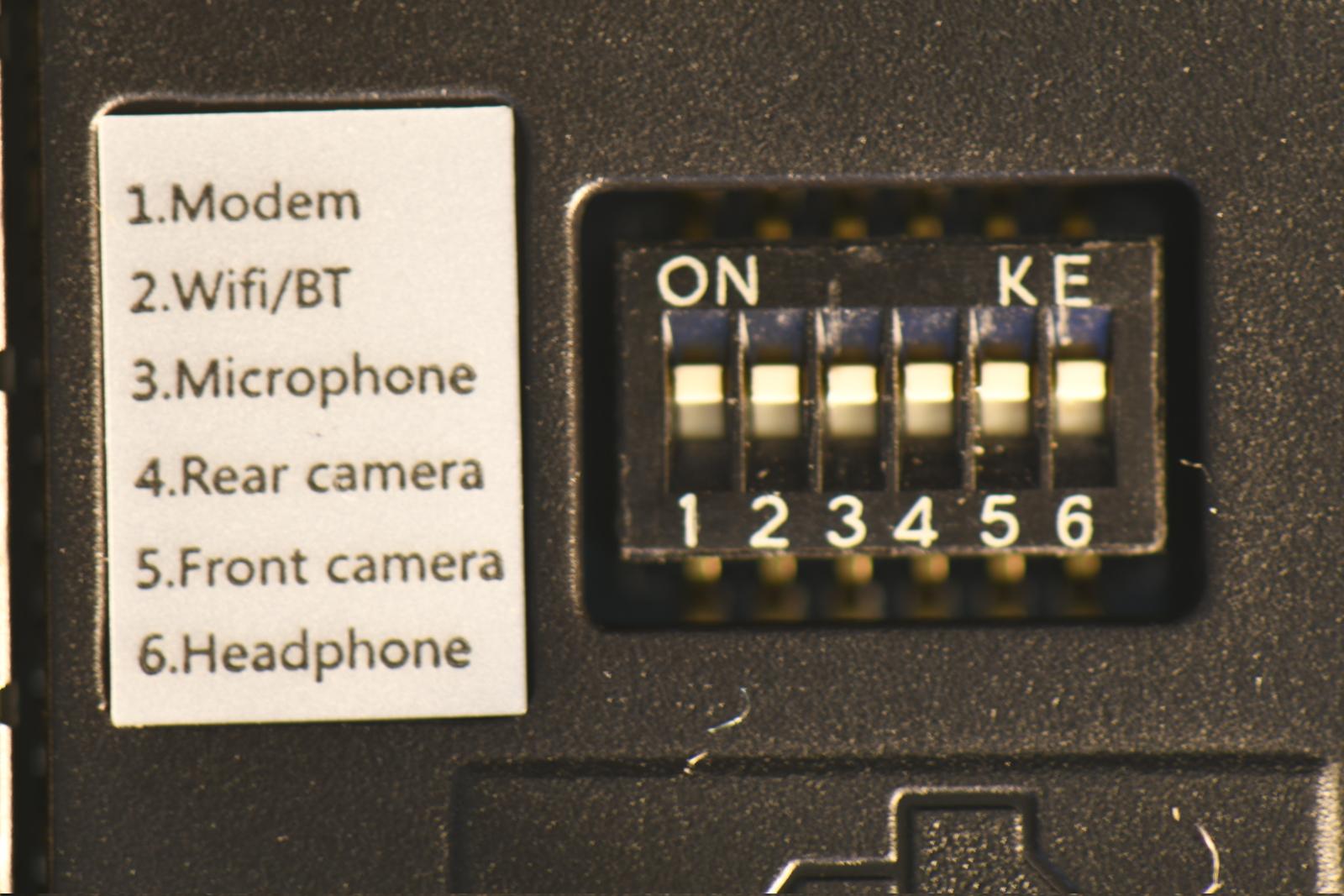
For example, the design includes hardware switches for certain components.
I can't fail to mention the dock, which allows you to connect a monitor, keyboard and mouse, power, and an Ethernet cable, transforming the device into a full-fledged PC.
If choosing a graphical environment for a desktop Linux device already stumps some users, the choice for a Linux-based smartphone is doubly difficult, since software in this category still lacks the maturity and usability of its traditional counterparts.
After the purchase, I was faced with a question: which distribution and which graphical environment to use? The PinePhone project documentation lists 20 supported distributions. I had to distro-hop and figure things out.
Distributions
I deliberately narrowed the field of distributions to Manjaro ARM and PostmarketOS. In my opinion, these projects received the most community support and are the most stable.
Simply put, I was looking for a balance between "this works" and "you need to spend some time to get basic functionality working."
Additionally, Manjaro ARM is what I use every day on my computer — the familiar Pacman package manager and set of utilities. PostmarketOS won me over with its excellent documentation and simple package manager (and it's incredibly fast).
Although the distribution list includes interesting projects like Arch Linux ARM, ExpidusOS with mobile XFCE, Mobian, NixOS. I'm sure I'll get around to them in the foreseeable future.
Desktop environment
In the course of my research, I identified the graphical environments Phosh, Plasma Mobile, sxmo, and Lomiri for myself. Ultimately, after facing a host of difficulties, I settled on the familiar sxmo. This project exceeded all my expectations. But more on that below.
Phosh
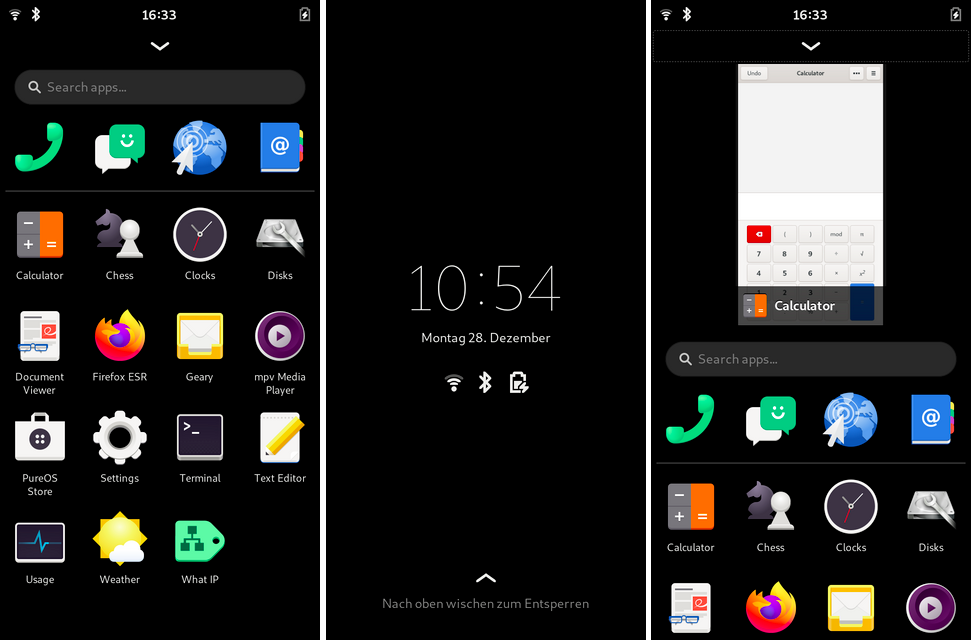
A graphical environment for mobile devices, a fork of GNOME Shell. Originally developed and shipped on the Librem 5 device from Purism.
Phosh has standard functionality. It contains an app grid divided into two sections. The top section is for favorites. The bottom section is for the remaining applications. There's also an app search bar.
Despite its familiar appearance, Phosh features interesting functionality under the hood. For example, it uses a Wayland compositor called phoc.
Like GNOME Shell, Phosh uses certain GNOME components, such as the GNOME Session Manager for session management and GNOME Settings Daemon for storing settings. Phosh also uses some freedesktop.org system components like Polkit, UPower, iio-sensor-proxy, NetworkManager, and ModemManager.
Additionally, Phosh has the most responsive and pleasant on-screen keyboard, squeekboard. Another plus is the vast amount of software available. However, although most GTK applications are available, they scale terribly in mobile mode. Furthermore, the user interface doesn't always display smoothly at 60 or 120 Hz. The problem is that Phosh doesn't support GPU acceleration. I also found its window switching strangely awkward. I assume these are limitations of phoc.
Plasma Mobile
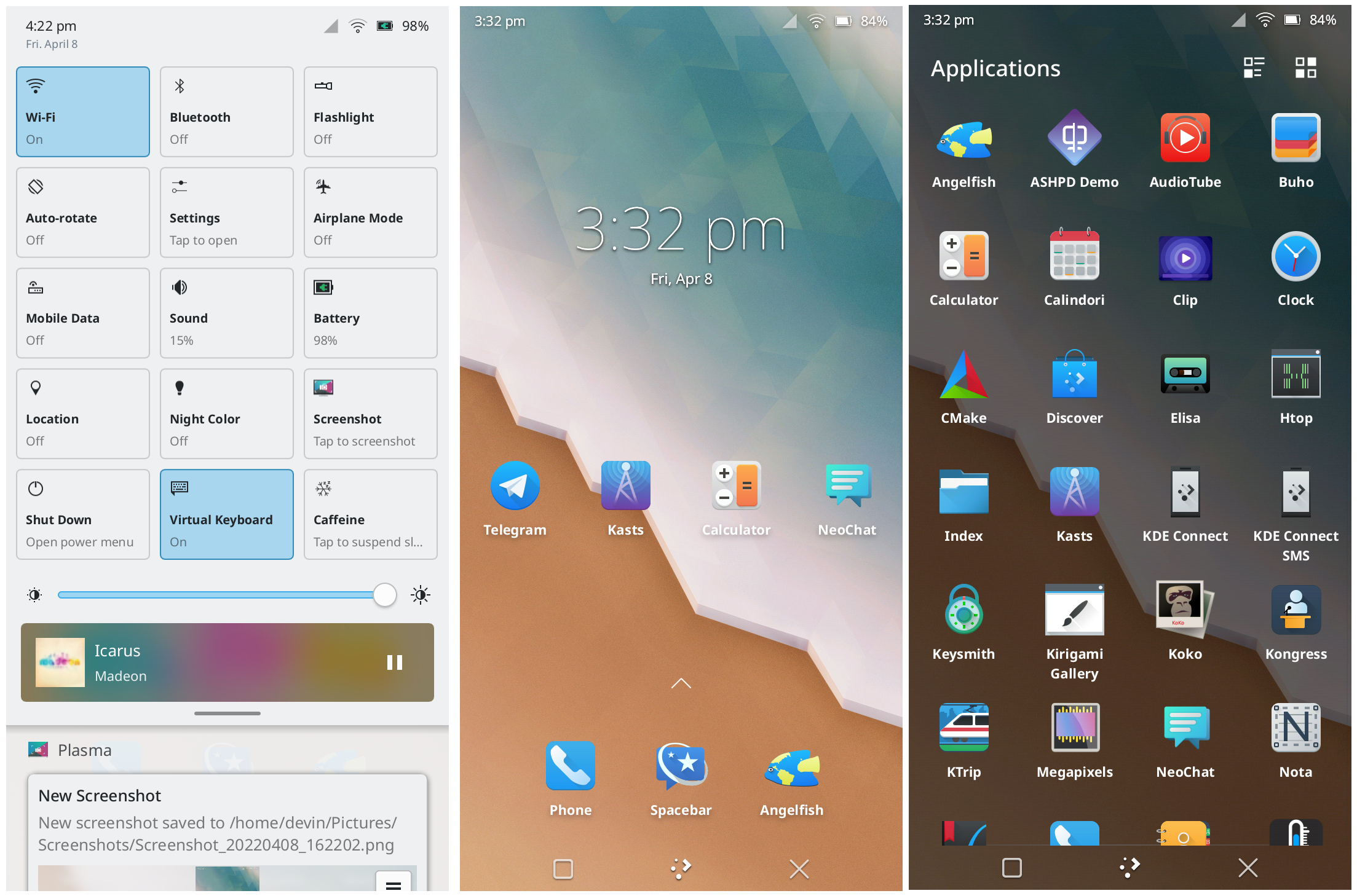
Based on KDE, but optimized for mobile devices. Graphics output uses the KWin window manager, which implements Wayland.
Using the cross-platform Qt toolkit, windows here, unlike in Phosh, scale much better in most cases, and switching between windows is smoother thanks to GPU acceleration support.
Thanks to KDE Connect, which is included in the applications, pairing the PinePhone with a desktop device shouldn't be difficult.
I had the highest hopes for this environment. At first glance, it's well optimized in terms of mobile UI, but I regularly had problems with it — the window manager crashed after I installed a SIM card with a PIN code, and while working through the dock, the monitor image would disappear every 5 minutes. Overall, I was terribly disappointed with this environment, especially since Plasma Mobile actually looks great. I would have preferred it if not for the constant crashes.
Lomiri
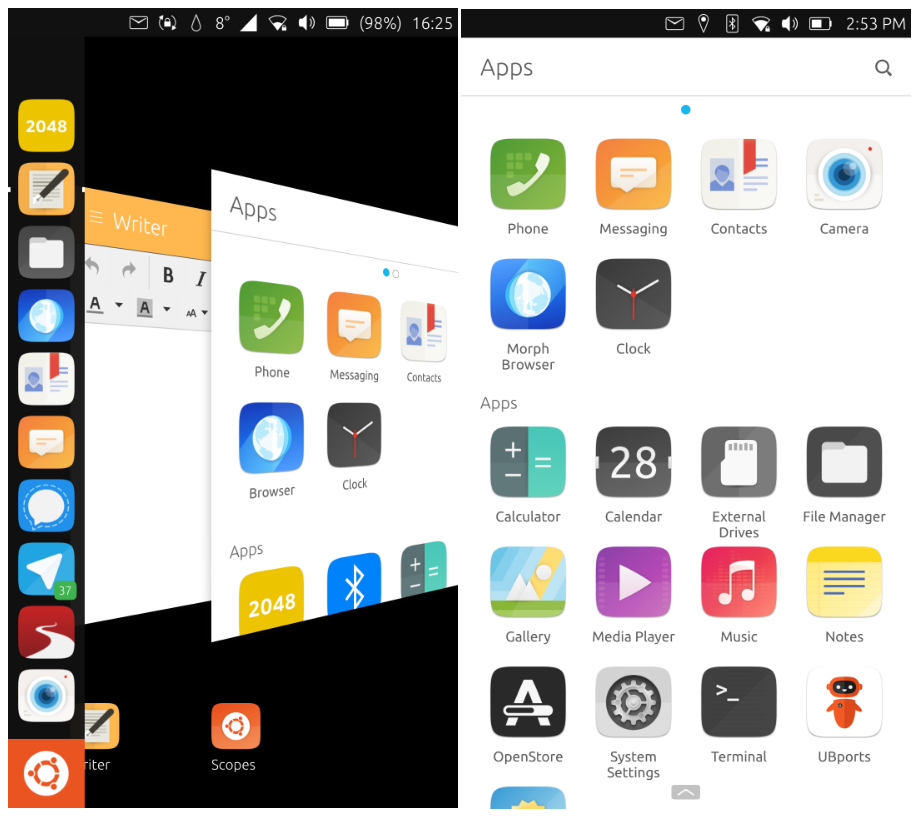
A desktop environment formerly known as Unity8. After Canonical abandoned support for the Ubuntu Touch OS, the company UBports resumed development.
Lomiri uses the Qt5 library and the Mir graphics server, which acts as a Wayland-based compositing server. Despite abandoning development of the Unity shell and Ubuntu Touch OS, Canonical continues development of Mir. They now position it as a solution for embedded devices and the Internet of Things.
During the porting of packages, UBports encountered difficulties related to the use of the Ubuntu trademark, which appears in the names of some components. Canonical does not allow the use of the word "ubuntu" in the names of third-party projects without explicit permission.
As a long-time representative of mobile environments for Linux-based devices, Lomiri is the most mature desktop environment. Smooth operation, an excellent set of utilities, and a fresh perspective on the user interface — it raises it to second place in my personal ranking, after Plasma Mobile.
sxmo
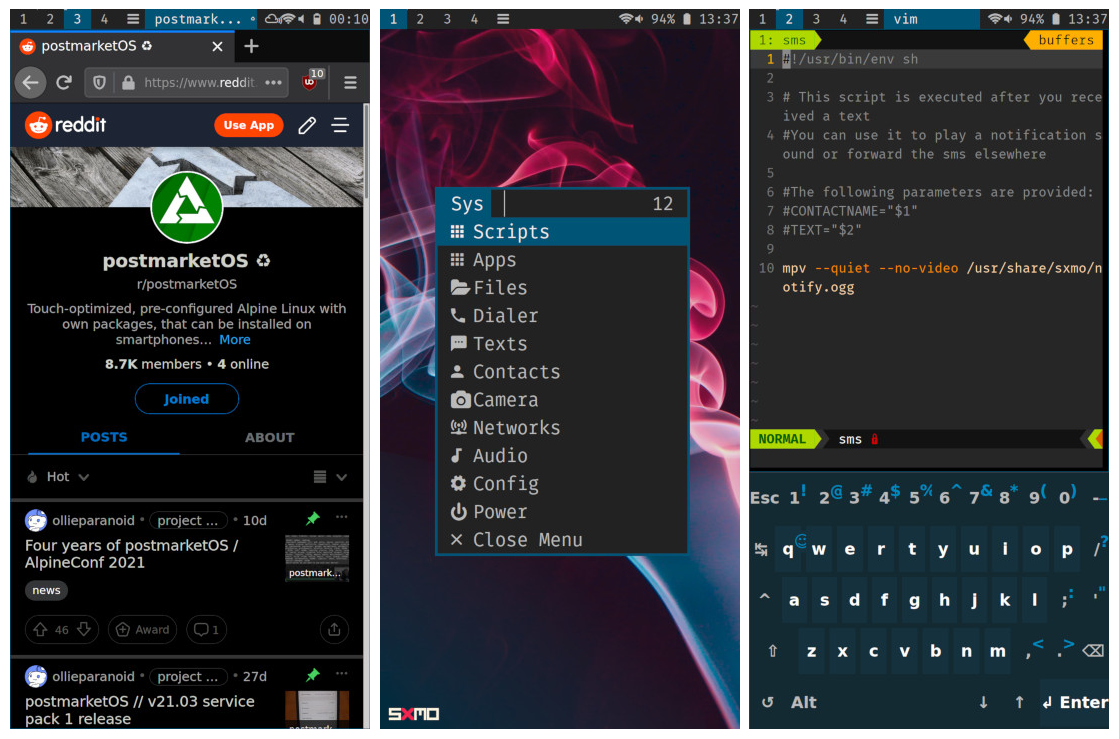
A tiling environment for Linux-based mobile devices.
Uses Suckless tools: dwm, dmenu, st; and Wayland tools: sway, bemenu, foot.
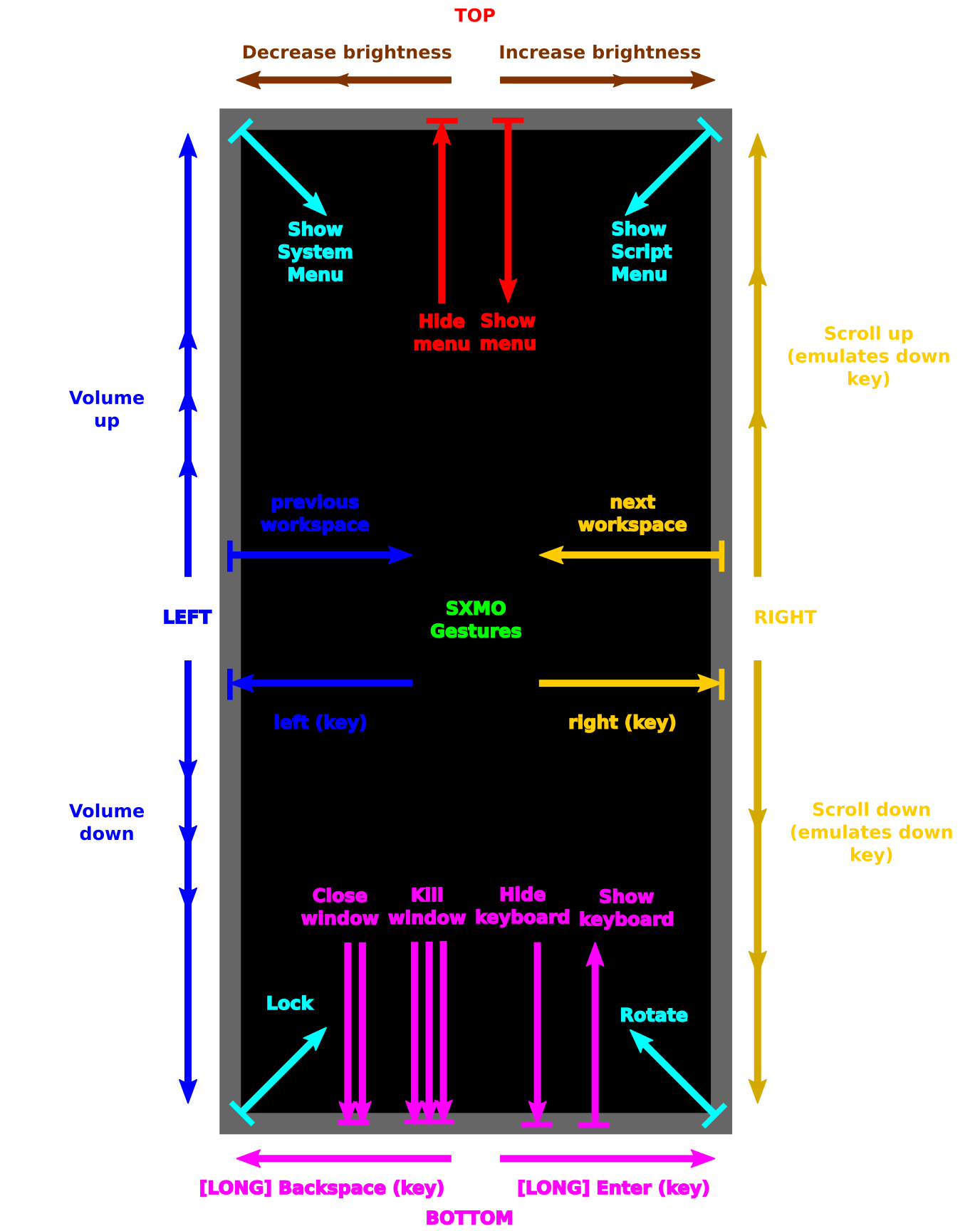
Supports control via gestures and touch, as well as hardware buttons.
Sxmo is mostly written in POSIX shell scripts and can be easily modified and extended using hooks.
Sxmo allows flexible customization of user-device interaction through scripts — be it notifications in Matrix or XMPP about missed calls and SMS. Scripts can use gestures via the lisgd library.
The environment includes a Spartan set of utilities, but they are sufficient for making calls, sending SMS, and other routine functions inherent to mobile devices.
The key tool of any tiling environment is the terminal. And here it excels — scroll support, copy/paste, and a hotkey system make it possible to even use VIM.
The image of the gesture system resembles an I3WM hotkey manual, which stumps all beginners.